Too many toolbox talk templates sit unused in shared drives, printed once and forgotten. Others are so generic they’re practically useless—phrases like “stay safe” and “wear PPE” repeated without context. The result? Disengaged teams, missed hazards, and preventable incidents.
The truth is, an effective toolbox talk template isn’t a one-size-fits-all document. It’s a living tool—structured enough to guide discussion, flexible enough to reflect real job conditions, and practical enough to spark real behavior change.
This guide delivers what most miss: actionable, customizable templates that align with real workflows, compliance needs, and human attention spans.
What Makes a High-Impact Toolbox Talk Template?
A strong template does more than prompt a discussion—it shapes it. The best ones share these traits:
- Specificity: Tied to current tasks, site conditions, or recent incidents
- Engagement: Includes open-ended questions that require team input
- Actionability: Ends with clear takeaways or commitments
- Brevity: Designed to fit within 10–15 minutes
- Visual cues: Uses checkboxes, bold headers, or icons to improve readability
Common Mistakes to Avoid
- Using the same template every week
- Reading directly from the script without discussion
- Ignoring site-specific risks
- Failing to document attendance or topics
- Not revisiting past topics for reinforcement
A template should be a launchpad—not a script.
Core Components of an Effective Template
Every high-performing toolbox talk follows a consistent flow. Here’s the structure that works:
1. Topic & Date Clearly state the safety topic and date. This helps with record-keeping and trend analysis.
2. Presenter Name Assign accountability. Knowing who led the talk increases ownership.
3. Location/Work Area Specify where the work is happening. A rig-up in a confined space requires different focus than overhead work near traffic.
4. Key Hazards List 2–4 specific risks. Avoid vague terms—instead of “slips and falls,” say “wet grating on platform stairs.”
5. Discussion Questions Include 2–3 open-ended questions like:
- “What near misses have you seen with this task?”
- “How could weather affect this job today?”
6. Controls & Best Practices Note engineering controls, PPE, procedures, or communication steps in place.
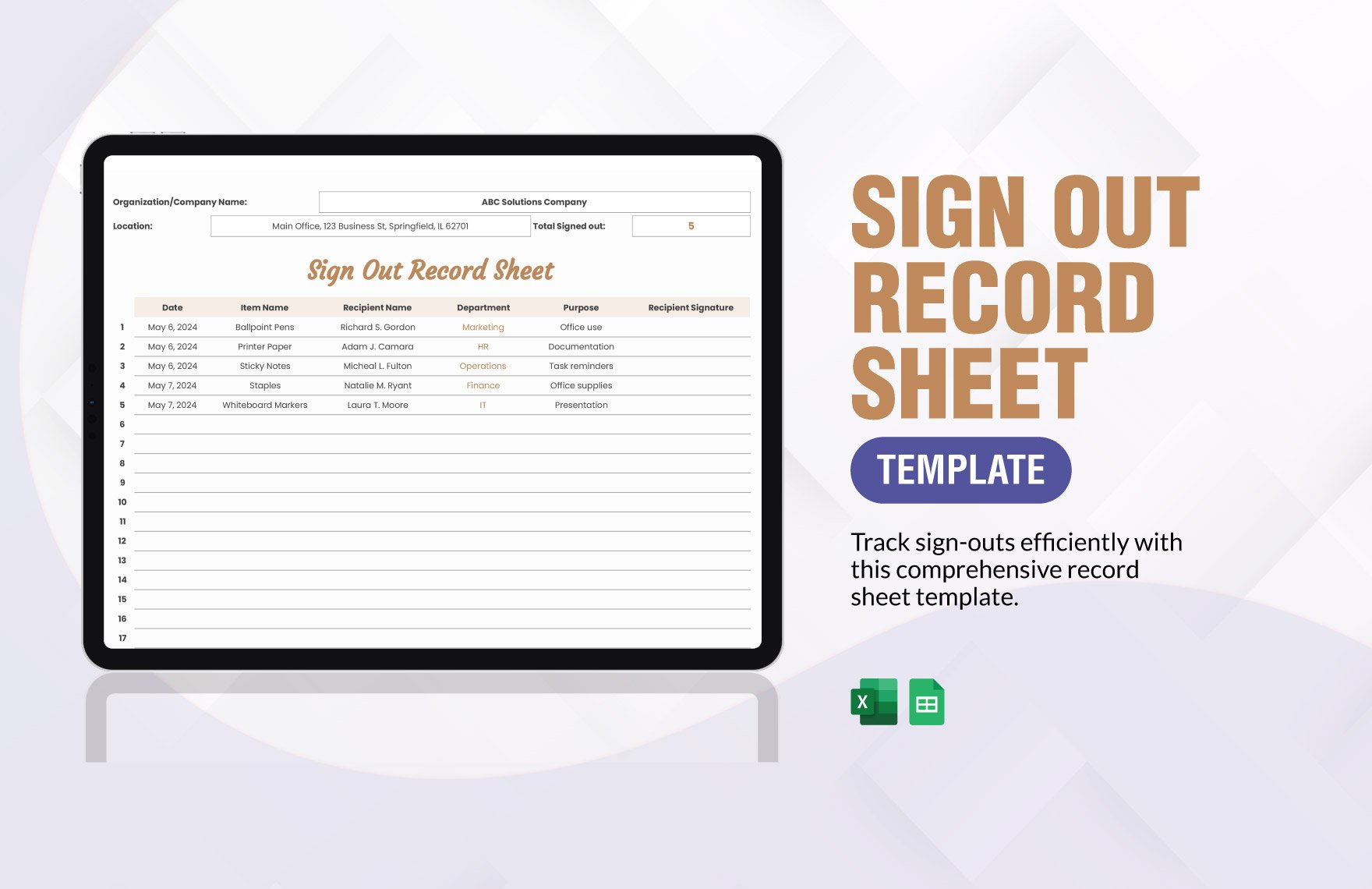
7. Sign-Off Section Collect names and signatures. This isn’t bureaucracy—it’s proof of engagement and compliance.
5 Proven Toolbox Talk Templates for Daily Use
These templates are battle-tested across construction, manufacturing, utilities, and maintenance teams.
1. Hot Work Permit & Fire Safety Perfect before welding, grinding, or any spark-producing task.
Key Hazards: - Flammable materials nearby - Inadequate fire watch - Poor ventilation
Discussion Prompt: “Where’s the nearest fire extinguisher? Who’s assigned fire watch, and for how long after work ends?”
Controls: - Hot work permit issued? - Fire blanket or extinguisher on site? - Area inspected for 30 minutes post-work?

2. Working at Heights Critical for rooftop work, scaffolding, or ladder use.
Key Hazards: - Unsecured fall protection - Damaged harnesses - Edge awareness
Discussion Prompt: “Has everyone inspected their harness today? What would stop you from climbing?”
Controls: - Full-body harness + lanyard - Anchor point rated and inspected - Tool lanyards in use
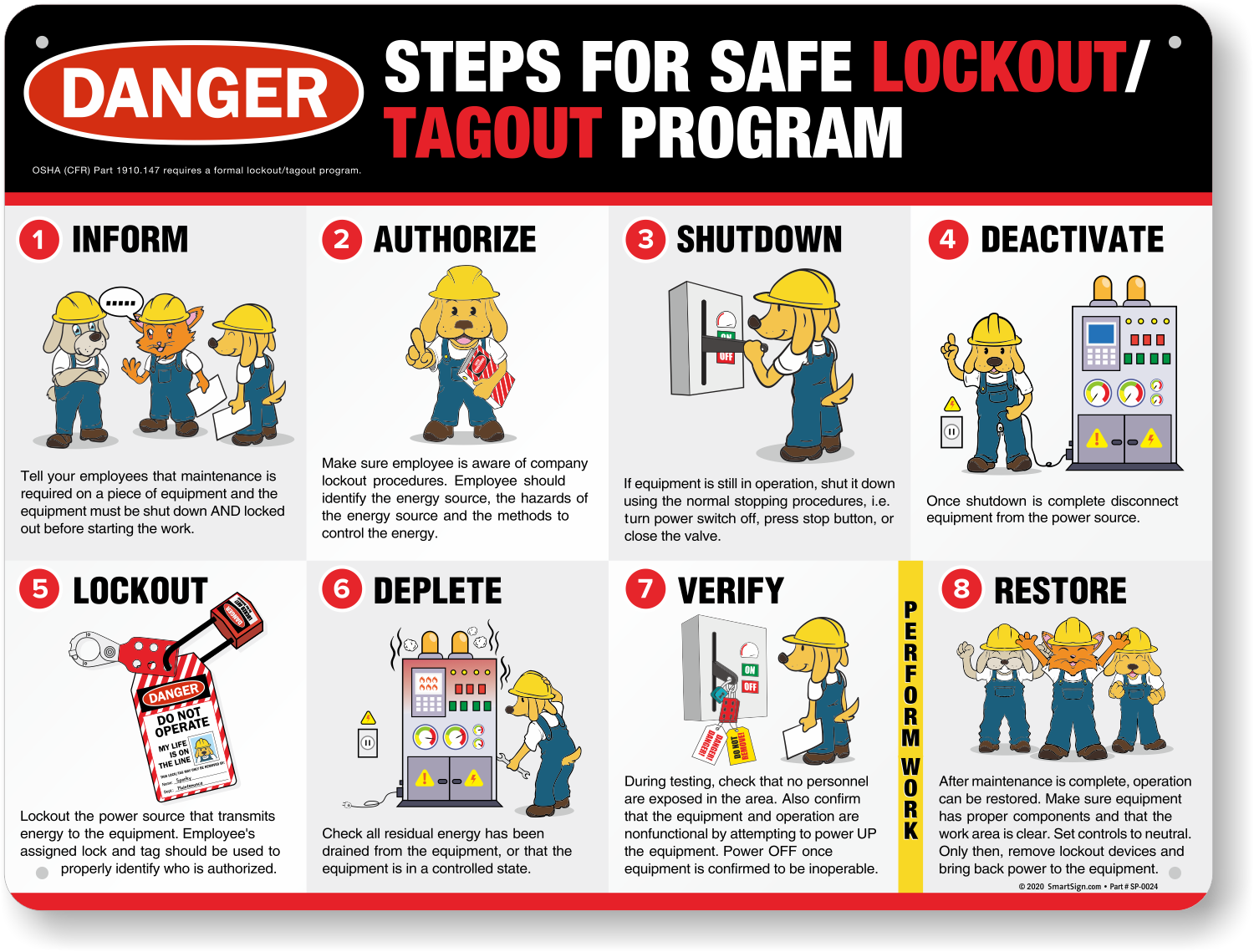
3. Lockout/Tagout (LOTO) Non-negotiable for maintenance or equipment repair.
Key Hazards: - Unexpected energization - Incomplete isolation - Multiple energy sources overlooked
Discussion Prompt: “What’s one machine here with stored energy (hydraulic, pneumatic, gravity)? How do we control it?”
Controls: - All energy sources isolated - Personal locks used - Test-for-zero conducted
4. Slips, Trips, and Falls (Ground Level)
Most common but often overlooked.
Key Hazards: - Cluttered walkways - Poor lighting - Wet or icy surfaces
Discussion Prompt: “Where did you see a trip hazard during your pre-shift walk?”
Controls: - Housekeeping schedule enforced - Spills marked and cleaned - Proper footwear worn
5. Hand Tool Safety Simple tools, serious injuries.
Key Hazards: - Using damaged tools - Incorrect tool for task - Loose grips or frayed cords
Discussion Prompt: “What’s one hand tool you’ve seen used unsafely this week?”
Controls: - Pre-use inspection done - No modifications (e.g., grinding safety guards) - Tools stored properly
How to Customize Templates for Maximum Impact
A template isn’t effective until it’s tailored. Here’s how top-performing teams adapt them:
Link to Real Events
After a near miss, create a talk around it. Example: A worker almost tripped over a trailing cable? Use the “Slips/Trips” template and add: “We had a near miss Tuesday—how do we prevent recurrence?”
Involve the Crew Rotate who leads the talk. Have a different team member customize the template each week. Ownership increases engagement.
Use Visual Aids Attach a photo of the actual work area, a damaged tool, or correct PPE setup. A picture of a frayed extension cord used on-site hits harder than a generic warning.
Rotate Topics Monthly Use a 4-week cycle:
- Week 1: Fall protection
- Week 2: LOTO
- Week 3: Fire safety
- Week 4: Review + Q&A
This reinforces key messages without monotony.
Integrating Templates into Your Safety Workflow
A great template fails if it’s not part of the routine. Here’s how to embed it:
1. Schedule It Block 10–15 minutes before shift start. Treat it like a production milestone.
2. Store Templates Digitally (with Backup) Use a shared drive or safety app. But keep a printed copy onsite—Wi-Fi fails, phones die.
3. Train Supervisors on Facilitation Teach them to ask, listen, and respond—not just read. A good talk is a dialogue, not a monologue.

4. Document & Audit File completed talks monthly. Audit for:
- Attendance gaps
- Repeated topics without follow-up
- Missing signatures
This data reveals weak spots in safety culture.
Top 5 Digital Tools for Managing Toolbox Talk Templates
While paper works, digital tools scale better for multi-site teams.
| Tool | Best For | Key Features |
|---|---|---|
| SafetyCulture (iAuditor) | Real-time reporting | Template library, photo capture, analytics |
| SiteDocs | Heavy industry | Offline access, compliance tracking, PDF export |
| Procore (Safety Module) | Construction teams | Integrates with project schedule, automated reminders |
| Frontline Safety | North American compliance | OSHA-aligned, multilingual templates |
| EHS Insight | Enterprise use | Custom workflows, incident linkage, audit trails |
Choose based on your team size, connectivity, and compliance needs. Even a simple Google Form with file upload can outperform paper if it’s reliable and easy.
Real-World Example: Reducing Hand Injuries in a Fabrication Shop
A mid-sized metal shop had three laceration incidents in six months—all during grinding operations.
Instead of a generic “PPE” talk, they used a customized Hand & Eye Protection template:
- Topic: Angle grinder safety
- Hazard: Flying metal shards, damaged guards
- Question: “Has anyone seen a guard removed to ‘speed up’ work?”
- Control: Mandatory pre-use checklist, spot audits
They ran the talk weekly for a month, then quarterly. Hand injuries dropped to zero over the next 18 months.
The template worked because it was specific, confrontational in a safe way, and tied to real behavior.
Closing: Make Your Templates Work for You—Not the Other Way Around
Toolbox talk templates shouldn’t be compliance checkboxes. They’re your frontline defense against incidents.
Start with proven structures. Customize them to your site, your crew, and your risks. Rotate topics. Document rigorously. Empower your people to lead.
The best safety culture isn’t built on posters or policies—it’s built on consistent, meaningful conversations. And that starts with a template that actually works.
FAQs
What should be included in a toolbox talk template? A strong template includes topic, date, presenter, location, key hazards, discussion questions, controls, and a sign-off section for attendance.
How often should toolbox talks be held? Ideally daily or before high-risk tasks. Weekly at minimum for low-risk environments.
Can toolbox talk templates be reused? Yes, but only if updated for current conditions. Reusing without customization leads to complacency.
Who should lead a toolbox talk? Supervisors typically lead, but rotating team members builds engagement and ownership.
Are digital toolbox talk templates better than paper? Digital tools improve tracking and accessibility, but paper works if it’s consistent and archived.
Do toolbox talks need to be signed? Yes—signatures confirm attendance and understanding. They’re critical for compliance and incident investigations.
How long should a toolbox talk last? Keep it between 10 and 15 minutes. Focus on one topic, not a safety lecture.
FAQ
What should you look for in Toolbox Talk Templates That Work in Real-World Settings? Focus on relevance, practical value, and how well the solution matches real user intent.
Is Toolbox Talk Templates That Work in Real-World Settings suitable for beginners? That depends on the workflow, but a clear step-by-step approach usually makes it easier to start.
How do you compare options around Toolbox Talk Templates That Work in Real-World Settings? Compare features, trust signals, limitations, pricing, and ease of implementation.
What mistakes should you avoid? Avoid generic choices, weak validation, and decisions based only on marketing claims.
What is the next best step? Shortlist the most relevant options, validate them quickly, and refine from real-world results.