Every construction site, warehouse, or field operation faces the same recurring challenge: how to consistently communicate critical safety messages without wasting time or losing engagement. The answer lies in well-structured safety toolbox talk PDFs—concise, portable, and focused documents that turn routine safety meetings into meaningful conversations. These aren’t just handouts; they’re frontline tools for preventing accidents, reinforcing protocols, and creating a culture of accountability.
Unlike generic safety posters or lengthy manuals, toolbox talk PDFs are designed for real-world use. They’re short (typically 1–2 pages), topic-specific, and built to be discussed in 10–15 minutes. When done right, they’re the backbone of daily safety communication—especially when teams are spread across locations or working in high-risk environments.
This guide breaks down what makes a safety toolbox talk PDF effective, where to find reliable templates, and how to integrate them into your safety workflow so they don’t just sit in folders—they actually change behavior.
Why Safety Toolbox Talk PDFs Are Non-Negotiable
Safety toolbox talks are more than regulatory checkboxes. They’re proactive interventions. Studies show that regular, brief safety discussions reduce incident rates by reinforcing awareness and encouraging worker participation. But the format matters.
PDFs are ideal because they’re: - Universal – Openable on any device, from smartphones to printed sheets - Consistent – Ensure the same message is delivered across crews - Archivable – Provide documentation for audits or OSHA inspections - Searchable – Easy to organize by topic, date, or hazard type
A poorly structured talk—vague, too long, or irrelevant—gets ignored. A strong one sparks discussion, clarifies procedures, and identifies risks before they become incidents.
Example: A roofing crew reviewing a “Working at Heights” PDF before starting a new phase catches a misrouted anchor point during the discussion. That catch prevents a potential fall.
Key Elements of a High-Impact Toolbox Talk PDF
Not all PDFs are created equal. The most effective ones follow a clear, repeatable structure that guides facilitators and keeps workers engaged.
#### 1. Clear Title and Date A title like “Electrical Safety – Overhead Power Lines” instantly signals focus. Including the date ensures version control and helps track recurring topics.
#### 2. Objective Statement One sentence summarizing the purpose: “To review safe distances from overhead power lines and proper equipment handling near energized sources.”
#### 3. Hazard Identification List specific risks: - Contact with live wires - Equipment tipping during crane operation - Poor visibility in low-light conditions
Use icons or bullet points for quick scanning.
#### 4. Real-World Scenarios Include a brief, relatable situation: “A backhoe operator lifts its boom near a utility pole without checking clearance. The boom contacts a 12kV line, electrifying the cab.” This makes the risk tangible.
#### 5. Safe Work Practices Present actionable steps: - Maintain 10 feet minimum clearance - Use a spotter when operating near lines - Confirm utility locations before digging
Avoid vague advice like “be careful.”
#### 6. Discussion Prompts Encourage interaction: - “Have you ever worked near live lines? What precautions did you take?” - “What would you do if a coworker ignored clearance zones?”
These turn monologue into dialogue.
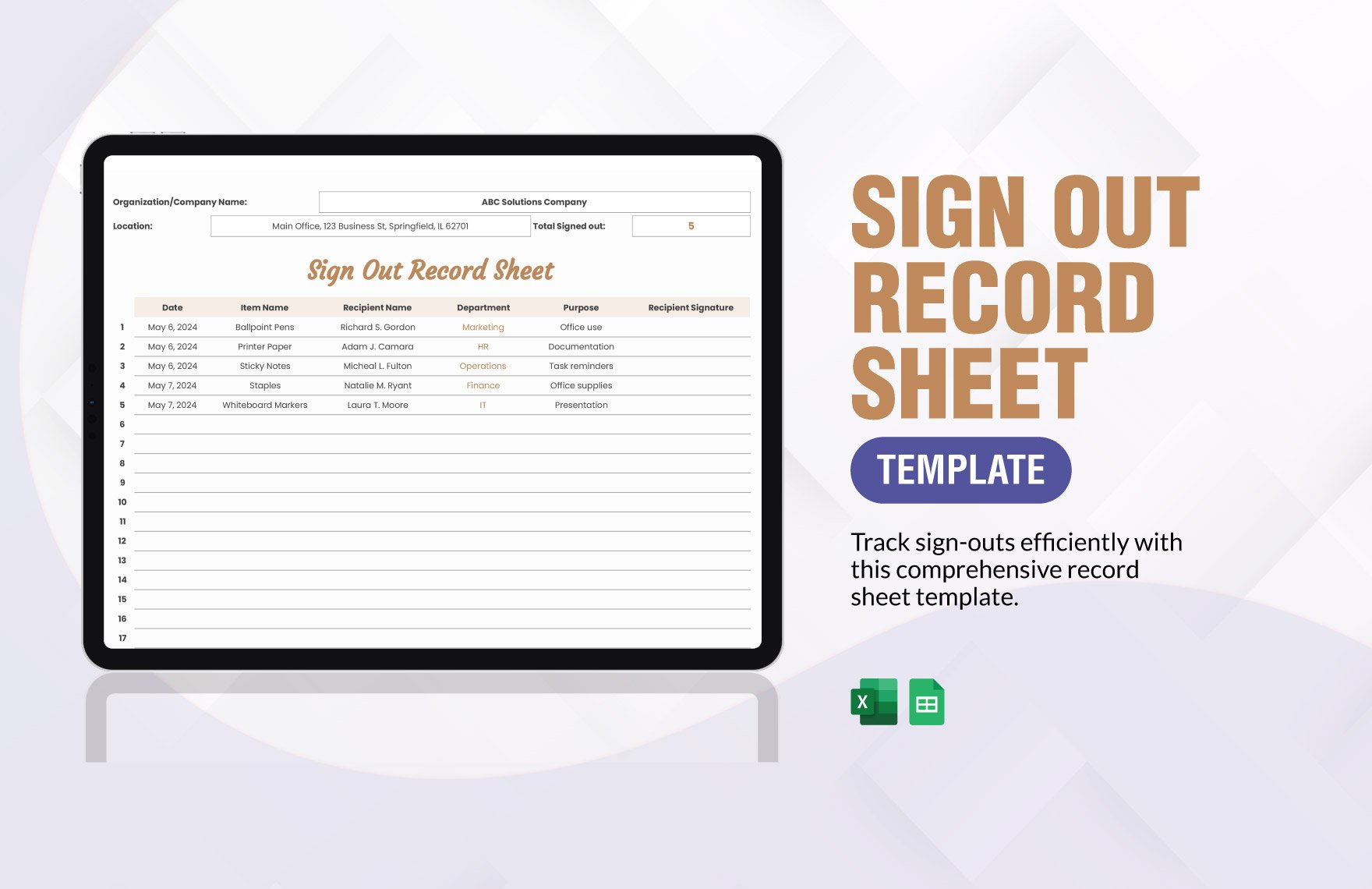
#### 7. Sign-Off Section Include lines for attendees to sign and date. This serves as proof of training and increases accountability.
Common Mistakes That Undermine Toolbox Talk Effectiveness
Even with a solid PDF, poor delivery can render the effort useless. Avoid these recurring pitfalls:
1. Repeating the Same Topics Monthly Covering “PPE” every week becomes background noise. Rotate topics and revisit them quarterly with updated examples.
2. Skipping the Discussion Reading the PDF aloud isn’t enough. The value is in the conversation. If no one speaks, the talk failed.
3. Using Generic Templates Without Customization A PDF about confined space entry is useless on a day focused on forklift safety. Match the content to the day’s tasks.
4. No Follow-Up or Documentation If there’s no record or action plan, OSHA won’t recognize it as valid training. Store signed copies digitally or in binders.
5. Assigning Talks to Unprepared Supervisors Not every foreman knows how to facilitate. Provide brief training on how to lead an engaging 10-minute session.
Where to Find Reliable Safety Toolbox Talk PDFs
You don’t need to build every document from scratch. Trusted sources offer free and paid templates that meet compliance standards and save hours of prep time.
Here are five reputable options:
- OSHA.gov
- - Free, government-reviewed topics (e.g., Fall Protection, Hazard Communication)
- - Pros: Authoritative, compliant, no cost
- - Cons: Less visual, minimal discussion prompts
- SafetyNow
- - Industry-specific PDFs (construction, manufacturing, energy)
- - Pros: Editable, includes sign-off sheets, mobile-friendly
- - Cons: Subscription required for full access
- Creative Safety Supply
- - Visual-heavy PDFs with diagrams and icons
- - Pros: Engaging format, bilingual options
- - Cons: Focused on their product lines (e.g., labels, signs)
- SafetyCulture (iAuditor)
- - Downloadable PDFs + digital checklist integration
- - Pros: Sync with app for real-time reporting
- - Cons: Best value when used with their platform
- Trade Associations (ABC, AGC, NECA)
- - Niche topics like trenching, arc flash, or crane lifts
- - Pros: Field-tested, updated regularly
- - Cons: Membership often required
Pro Tip: Download a few templates, then customize them with your company logo, site-specific risks, and local protocols. This boosts relevance and ownership.
How to Integrate Toolbox Talk PDFs Into Daily Workflow
Having PDFs isn’t enough. You need a system that ensures consistency and engagement.
Step 1: Schedule Weekly Topics Create a 12-week safety calendar. Example: - Week 1: Slips, Trips, Falls - Week 2: Hand Tool Safety - Week 3: Fire Extinguisher Use - Week 4: Emergency Evacuation
Rotate core topics quarterly.
Step 2: Assign Facilitators Don’t let the same person lead every session. Rotate among supervisors and lead workers. It builds leadership and keeps energy fresh.

Step 3: Distribute in Advance Email the PDF the day before. This gives facilitators time to review and workers a chance to think about the topic.
Step 4: Conduct the Talk On-Site Hold it where the work happens. Discussing ladder safety at the base of a scaffold makes it immediate.
Step 5: Record and Store Scan signed sheets or use a digital tool to archive talks. This creates an audit trail and helps track participation.
Step 6: Review and Improve Quarterly, review which topics generated the most discussion or led to reported hazards. Adjust your calendar accordingly.
Real-World Use Cases: PDFs That Prevented Incidents
Case 1: Preventing a Caught-In Hazard A manufacturing team reviewed a “Machine Guarding” PDF before restarting a press line. A worker noticed a missing guard and reported it. The machine was locked out before restart—avoiding a potential amputation.
Case 2: Stopping Heat Stress During a summer roofing project, a “Heat Illness Prevention” talk prompted a crew member to speak up about dizziness. The team initiated cooling procedures and avoided a medical emergency.
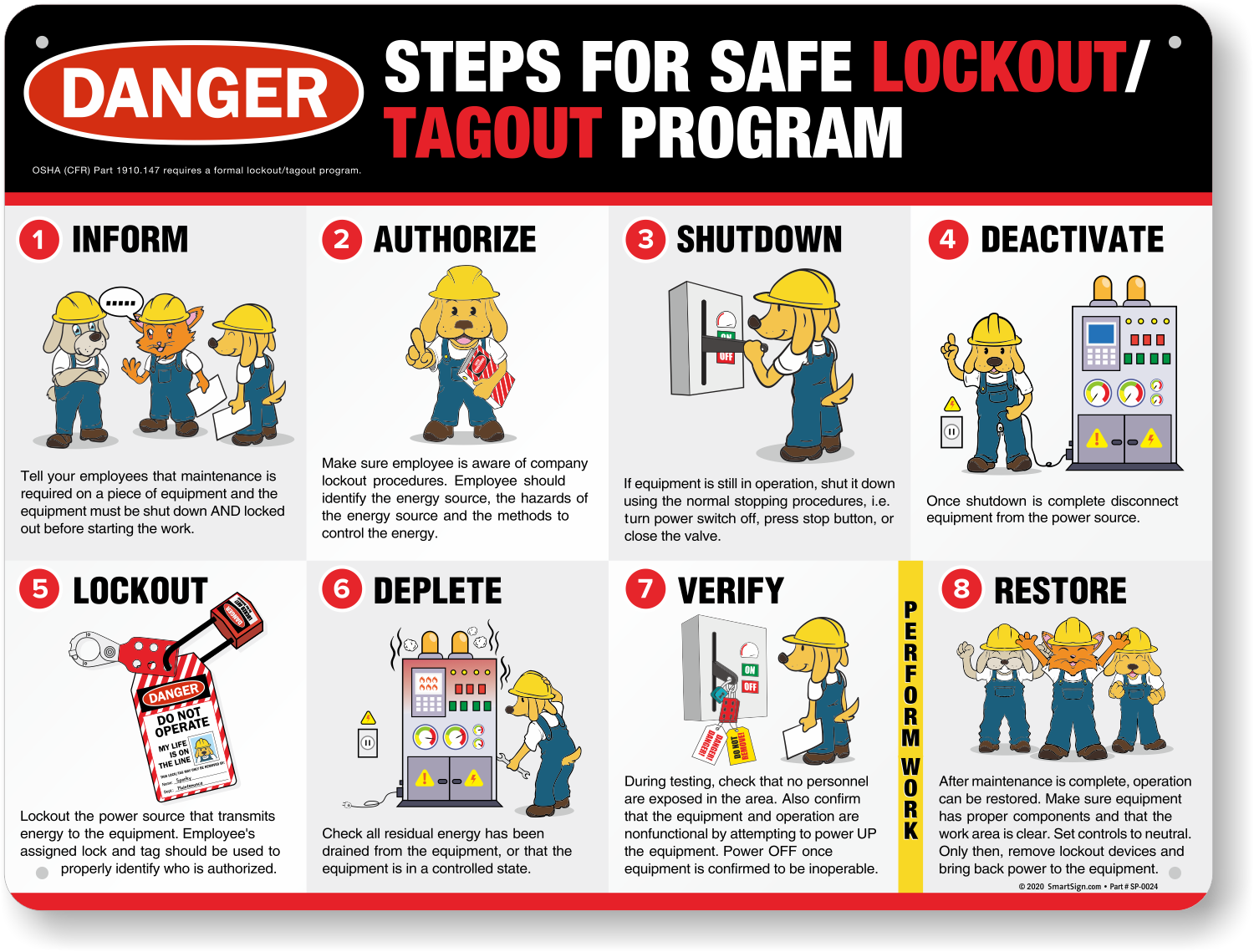
Case 3: Reinforcing Lockout/Tagout After a “LOTO for Maintenance” session, a mechanic double-checked an energy source others assumed was de-energized. It wasn’t. The PDF’s checklist saved time and risk.
These aren’t outliers. They’re what happens when safety talks move from routine to relevant.
Customizing Your Own Safety Toolbox Talk PDFs
While templates help, the most effective talks reflect your site, crew, and risks. Here’s how to build your own:
- Start with a Template
- Use an OSHA or industry PDF as a base.
- Add Site-Specific Details
- Insert photos of your equipment, layout maps, or past near-miss reports (anonymized).
- Localize Language
- If your crew includes non-native English speakers, add key terms in Spanish or other languages.
- Include Recent Observations
- Did a safety audit reveal loose scaffolding? Add a visual and discussion point.
- Test It
- Run a pilot talk with a small crew. Ask: Was it clear? Did it spark discussion? Revise as needed.
- Brand It
- Add your company name, logo, and safety motto. It increases ownership.
Store your custom PDFs in a shared folder with clear naming: 2025-04-07_ToolboxTalk_FallProtection_SiteA.pdf
Final Tips for Making PDFs Work in the Field
- Print on Weather-Resistant Paper for outdoor sites
- Use Tablets or Phones when printing isn’t practical—many crews use ruggedized devices
- Pair with Visual Aids – Show a damaged harness during a PPE talk
- Keep a Master Log – Track which topics were covered, when, and by whom
- Link to Training Records – Reference the PDF in onboarding or refresher courses
A toolbox talk PDF should never be a paperwork exercise. It’s a communication tool—one that bridges policy and practice, supervisor and worker, procedure and reality.
Take Action Today Download three high-quality safety toolbox talk PDFs from trusted sources. Customize one with your site details. Schedule it for tomorrow’s morning meeting. Bring the printed copies, start the conversation, and collect signatures. That single step builds momentum toward a safer, more aware team.
Do it consistently, and you won’t just check a compliance box—you’ll change how safety lives on your job site.
FAQ
What should you look for in Safety Toolbox Talk PDFs That Improve Job Site Compliance? Focus on relevance, practical value, and how well the solution matches real user intent.
Is Safety Toolbox Talk PDFs That Improve Job Site Compliance suitable for beginners? That depends on the workflow, but a clear step-by-step approach usually makes it easier to start.
How do you compare options around Safety Toolbox Talk PDFs That Improve Job Site Compliance? Compare features, trust signals, limitations, pricing, and ease of implementation.
What mistakes should you avoid? Avoid generic choices, weak validation, and decisions based only on marketing claims.
What is the next best step? Shortlist the most relevant options, validate them quickly, and refine from real-world results.