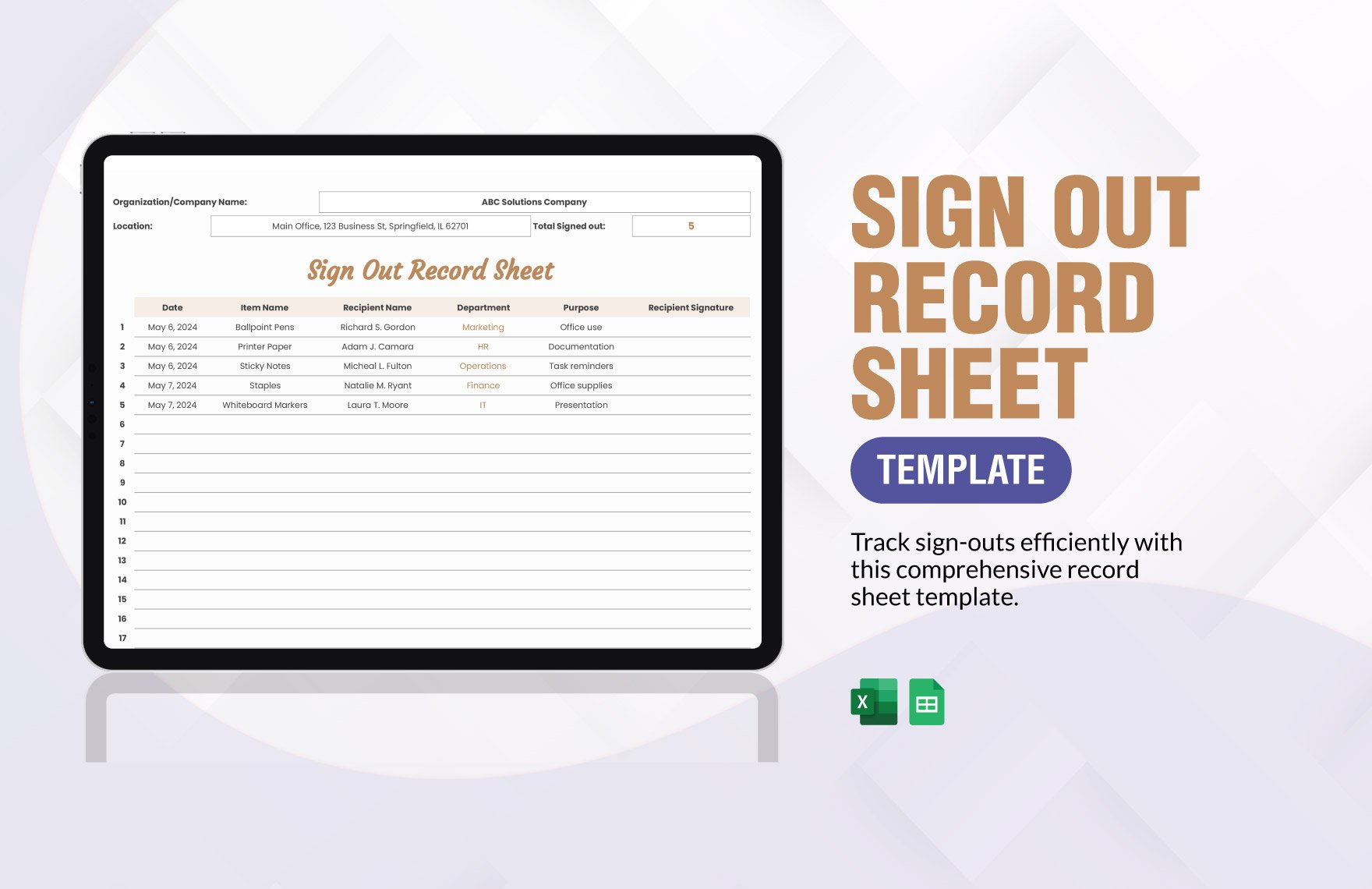
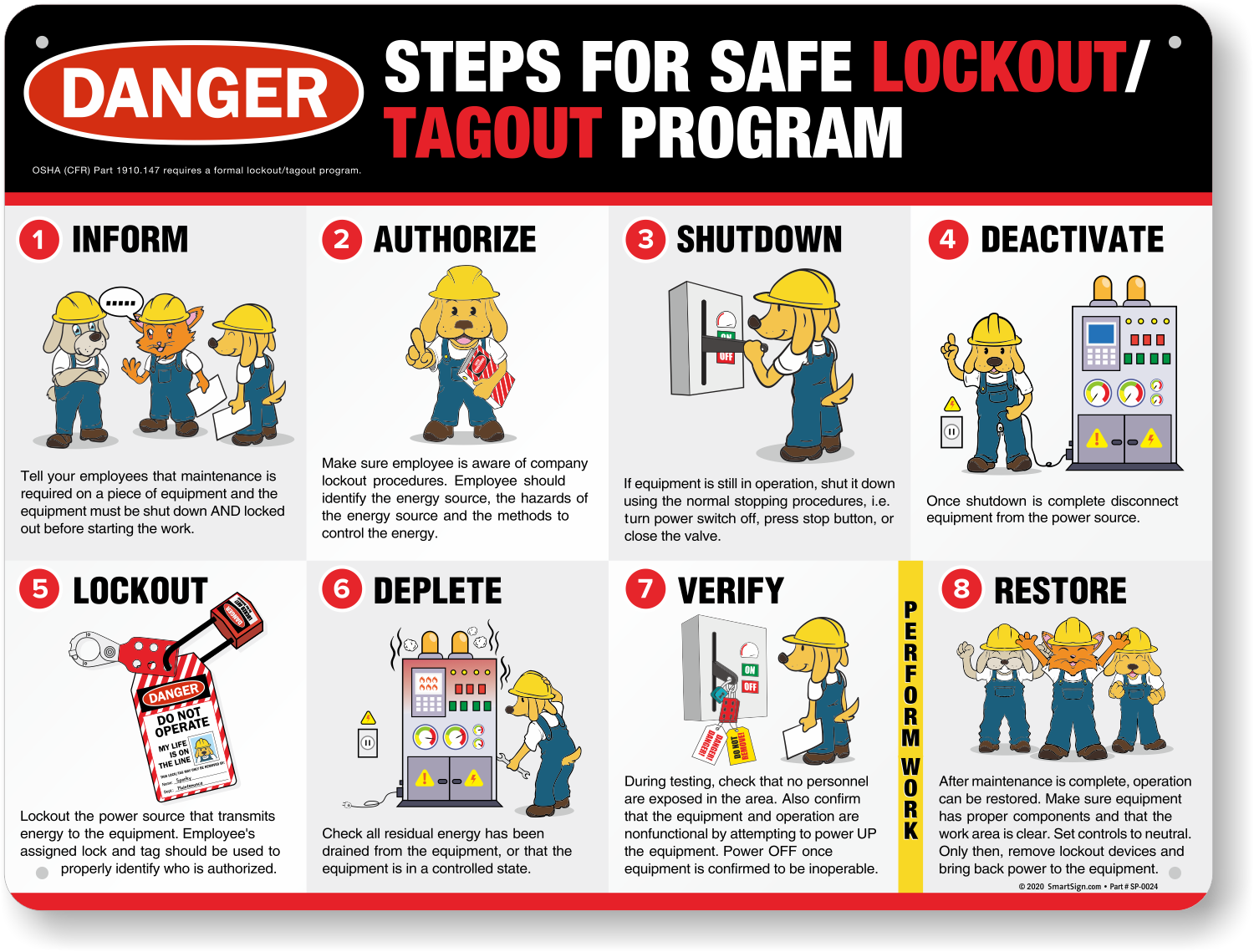
Every year, hundreds of workers suffer serious injuries—or worse—because machinery was accidentally energized during maintenance. The root cause? A missing or improperly used lock out tag out form. This simple document isn’t just paperwork—it’s a critical control step that prevents unexpected startup, protects lives, and ensures regulatory compliance.
A lock out tag out form is the documented proof that hazardous energy sources have been isolated, locked, and tagged before service begins. Unlike verbal agreements or memory-based procedures, this form creates a clear, auditable trail of accountability.
This guide dives into what makes a LOTO form effective, how to use it correctly, and why skipping it—even once—can have irreversible consequences.
What Is a Lock Out Tag Out Form?
A lock out tag out form is a standardized document used to record the steps taken to de-energize, isolate, and secure machinery before maintenance or servicing. It verifies that all energy sources—electrical, hydraulic, pneumatic, chemical, thermal, or gravitational—have been controlled and that only authorized personnel can restore power.
While OSHA’s 29 CFR 1910.147 doesn’t mandate a specific form format, it requires written procedures and documentation of each LOTO application. That’s where the form comes in: it transforms policy into action.
Key Elements of an Effective LOTO Form
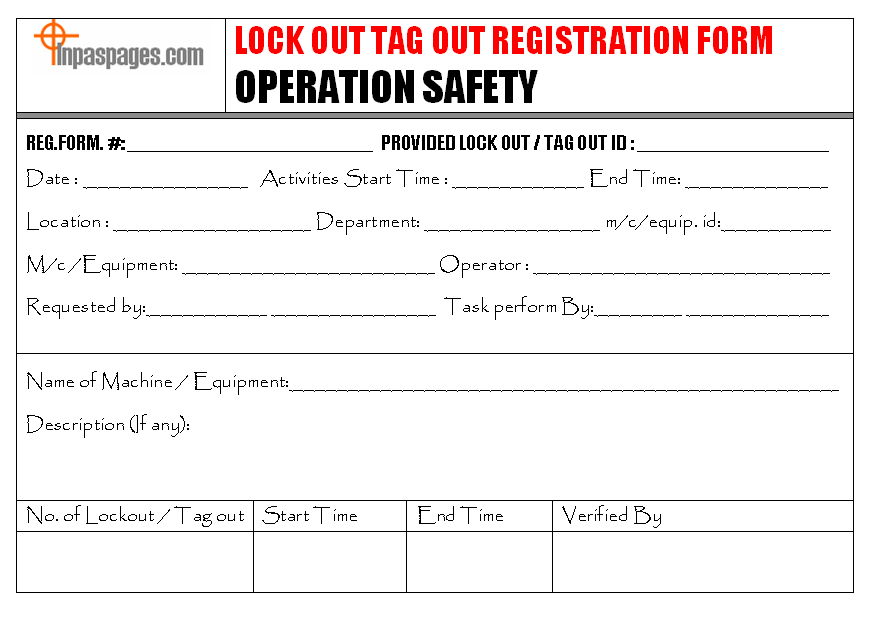
An effective lock out tag out form must include:
- Equipment identification (name, ID number, location)
- Date and duration of the lockout
- Authorized employee name and signature
- List of all energy sources isolated (e.g., main power, hydraulic lines)
- Type of lock and tag used (lock number, tag ID)
- Verification of zero energy (test method used)
- Shift交接 details, if applicable (handover to next shift)
- Clear release procedure with sign-off
Skip any of these, and you risk incomplete isolation or unclear responsibility—both of which compromise safety.
Why a LOTO Form Isn’t Optional
Imagine a technician working inside a conveyor system. The power is supposedly off. But someone on another shift, unaware of the maintenance, hits the start button. The result? Catastrophe.
This isn’t hypothetical. OSHA estimates that nearly 10% of serious accidents in manufacturing involve uncontrolled hazardous energy. A properly completed lock out tag out form eliminates ambiguity.
Real-World Example: The Cost of a Missing Form
In 2022, a food processing plant faced a $180,000 OSHA fine after a worker lost three fingers when a mixer activated during cleaning. Investigation revealed no lock out tag out form was used—just a verbal agreement. The mixer had multiple energy sources, including stored hydraulic pressure, which wasn’t properly bled.
The absence of a form meant no verification, no accountability, and no proof of compliance.
A documented LOTO process would have:
- Required identification of all energy sources
- Mandated testing for zero energy
- Created a clear chain of custody for lock removal
Paper saves lives. Not metaphorically—literally.
Common Mistakes That Undermine LOTO Forms
Even when companies use lock out tag out forms, errors can render them useless.
1. Using a Generic Template for All Machines
A one-size-fits-all form fails because not all equipment has the same energy profile. A CNC machine may have electrical, pneumatic, and rotational hazards, while a boiler involves thermal and pressure risks.
Fix: Customize the form per machine or group similar equipment into categories with dedicated procedures.
2. Skipping the Verification Step
Just listing “disconnect main breaker” isn’t enough. The form must confirm that voltage was tested and zero energy verified using appropriate tools (e.g., multimeter, gauge).
Fix: Include a “Verification Method” field requiring initials and test results.
3. Allowing Blank or Unsigned Fields
Forms left incomplete—especially missing signatures or lock numbers—create legal and safety gaps. OSHA can cite a company for “inadequate documentation” even if the machine was actually locked out.
Fix: Treat an incomplete form as an incomplete lockout. No exceptions.
4. Poor Visibility or Accessibility
If the form is buried in a folder or saved only digitally without on-site access, workers can’t reference it during the procedure.
Fix: Use laminated copies near equipment or digital tablets with offline capability.
How to Implement a LOTO Form in 5 Steps
Creating a functional lock out tag out form isn’t about fancy design—it’s about integration into your safety workflow.
Step 1: Conduct an Equipment Audit
List every machine that requires servicing. Identify all energy sources for each. Create a matrix of equipment types and their hazards.
Step 2: Develop Machine-Specific Procedures
Write a step-by-step shutdown process for each piece of equipment. Include:
- Sequence for shutting down
- Locations of disconnects, valves, bleed points
- Required tools and PPE
- Verification method
These procedures feed directly into the form.
Step 3: Design the Form
Use a clear, fillable layout. Avoid clutter. Field examples:
| Field | Example Entry |
|---|---|
| Equipment ID | Conveyor Line C-7 |
| Energy Sources | 480V Power, Pneumatic Line, Gravity Feed |
| Locks Applied | Lock #L204 (Blue, John Miller) |
| Zero Energy Verified? | Yes – tested with multimeter |
| Tags Used | Tag #T883: “Do Not Operate – Maintenance in Progress” |
Step 4: Train Employees
Train both authorized employees (who perform lockout) and affected employees (who operate equipment). Emphasize that no work begins without a completed form.
Step 5: Audit and Improve
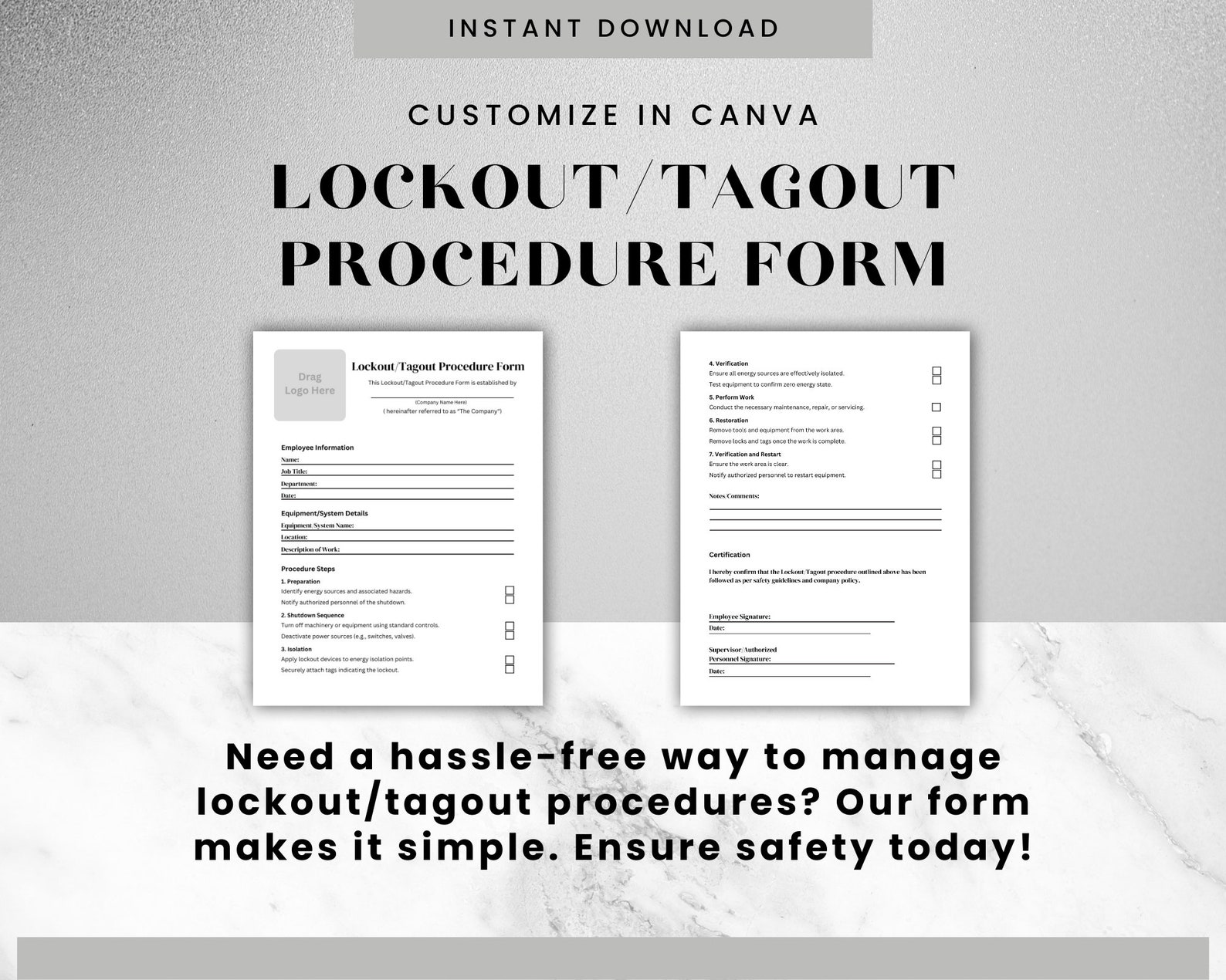
Review completed forms monthly. Check for consistency, accuracy, and compliance. Use findings to refine training or forms.
Digital vs. Paper LOTO Forms: What Works Best?
While OSHA doesn’t require digital forms, technology is reshaping how companies manage lockout procedures.
Paper Forms: Pros and Cons
Pros: - Low cost - No tech dependency - Easy to use in remote areas
Cons: - Prone to loss or damage - Hard to audit at scale - Delayed visibility for supervisors
Digital LOTO Forms: Pros and Cons
Pros: - Real-time tracking of active lockouts - Automated reminders for time expiration - Cloud backup and audit trails - Integration with CMMS or EHS platforms
Cons: - Initial setup cost - Requires devices and training - Vulnerable to outages if not offline-enabled
Best Practice: Use digital forms in high-volume or regulated environments (e.g., pharmaceuticals, automotive). Stick with paper only if digital isn’t feasible—and ensure backups exist.
5 Top Tools for Managing Lock Out Tag Out Forms
While no tool replaces human diligence, software can streamline compliance.
| Tool | Key Features | Best For |
|---|---|---|
| EHS Insight | Customizable LOTO forms, mobile app, audit trails | Mid to large manufacturers |
| FramoCare | Digital work permits, integration with SAP | Heavy industry, oil & gas |
| SafeSite Facility | Real-time lockout tracking, photo capture | Multi-site operations |
| LockOut TagOut Pro (Android/iOS) | Offline form completion, QR code scanning | Small teams, field service |
| Intelex LOTO | Full energy control suite, analytics dashboard | Enterprise safety programs |
These platforms turn static forms into dynamic safety tools—reducing risk through visibility and enforcement.
When the Form Isn’t Enough: Layering Safety Controls
A lock out tag out form is essential—but it’s not the whole system.
Combine With:
- Lockout stations – Centralized locations with locks, tags, hasps, and printed procedures
- Energy-isolating devices – Manual disconnects, block valves, blank flanges
- Group lockout boxes – For multiple workers on one machine
- Shift change protocols – Requiring form handover and re-verification
A form without proper locks is a checklist without teeth. A lock without a form is a hazard waiting to be misunderstood.
The Bottom Line: Make the LOTO Form a Non-Negotiable Step
In high-risk environments, safety isn’t about convenience—it’s about consistency. A lock out tag out form turns a vulnerable moment (equipment servicing) into a controlled process.
It’s not about satisfying OSHA during an inspection. It’s about ensuring that every worker goes home unharmed.
Start today: audit your current forms, fix the gaps, and train your team to treat every blank form as a potential life-saving document. Because in safety, documentation isn’t bureaucracy—it’s protection in writing.
Frequently Asked Questions
What should be included in a lock out tag out form? A complete form includes equipment ID, energy sources, lock and tag numbers, authorized employee details, verification of zero energy, and sign-off for release.
Who fills out the lock out tag out form? The authorized employee performing the maintenance is responsible for completing and signing the form.
Can a digital form be used for LOTO compliance? Yes, OSHA accepts electronic forms as long as they are secure, accessible, and cannot be altered after submission.
Do all machines need a separate LOTO form? Machines with identical energy controls can share a form. Unique configurations require individualized procedures.
How long should completed LOTO forms be kept? OSHA recommends retaining forms for at least one year for audit and incident investigation purposes.
Is a LOTO form required for minor servicing? Only if the task goes beyond routine operation. Tasks like lubrication, unclogging, or blade changes typically require lockout and documentation.
Can multiple employees use the same form? Yes, but each must apply their own lock, verify isolation, and sign the form. Use group lockout boxes when necessary.
FAQ
What should you look for in Lock Out Tag Out Form: The Complete Safety Guide? Focus on relevance, practical value, and how well the solution matches real user intent.
Is Lock Out Tag Out Form: The Complete Safety Guide suitable for beginners? That depends on the workflow, but a clear step-by-step approach usually makes it easier to start.
How do you compare options around Lock Out Tag Out Form: The Complete Safety Guide? Compare features, trust signals, limitations, pricing, and ease of implementation.
What mistakes should you avoid? Avoid generic choices, weak validation, and decisions based only on marketing claims.
What is the next best step? Shortlist the most relevant options, validate them quickly, and refine from real-world results.