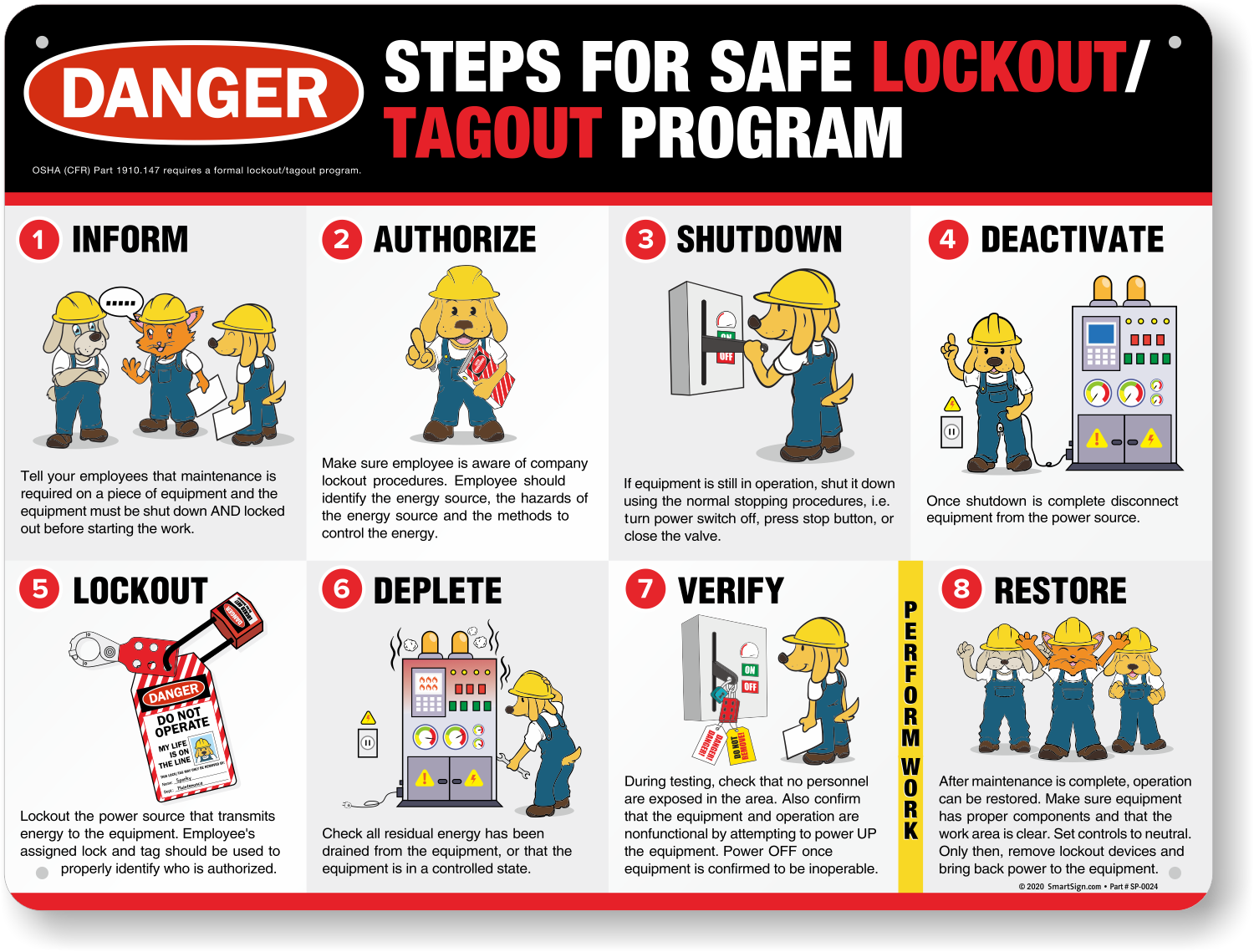
Every year, hundreds of workers suffer serious injuries due to unexpected equipment startup during maintenance. These incidents are preventable — but only if proper lockout tagout (LOTO) procedures are in place. At the heart of any effective LOTO program is a well-designed lockout tagout form template. It’s not just paperwork — it’s a critical control that ensures machines are safely de-energized and that no one bypasses safety protocols.
Yet, many organizations still rely on outdated, generic, or incomplete forms. Others skip formal documentation entirely, assuming verbal agreements or memory are enough. That’s a gamble with high stakes. A solid LOTO form template doesn’t just satisfy OSHA compliance — it creates accountability, clarity, and consistency across maintenance teams.
This guide breaks down what makes an effective lockout tagout form, provides a practical structure you can adapt, and shows how to avoid common pitfalls that undermine safety.
Why a Lockout Tagout Form Template Isn’t Optional
OSHA standard 29 CFR 1910.147 mandates that companies implement a written energy control program. Part of that requirement includes standardized procedures and documentation. A lockout tagout form is the physical manifestation of that documentation.
Without a consistent form:
- Steps may be skipped during high-pressure repairs.
- Multiple energy sources might be overlooked.
- Shift handoffs become risky — especially during night or weekend work.
- Audits reveal gaps that could lead to citations.
The form isn’t just for compliance. It acts as a checklist, a communication tool, and a legal record. When an incident occurs, investigators will look at whether a documented LOTO procedure was followed — and whether the form used was thorough.
Key Elements of an Effective LOTO Form Template
A good form isn’t cluttered, but it’s comprehensive. It should guide the user step-by-step while capturing essential details. Here are the core components every lockout tagout form should include:
Equipment Identification
- Machine name, ID number, and location
- Type of energy sources involved (electrical, hydraulic, pneumatic, chemical, thermal)
Authorized Personnel
- Name and signature of the employee performing the lockout
- Supervisor or responsible party, if required
- Date and time of lockout initiation
Energy Isolation Steps
- List of specific energy-isolating devices (e.g., circuit breakers, valves)
- Verification that equipment is de-energized (e.g., “tested with multimeter”)
- Application of locks and tags with unique identifiers
Duration and Release Procedure
- Estimated time for completion
- Step-by-step re-energization checklist
- Final clearance signature confirming all tools removed and personnel clear
Emergency Exceptions
- Space to document unexpected delays or partial re-energization (e.g., testing phases)
- Secondary authorization required for such exceptions
Missing any of these components creates blind spots. For example, failing to list all energy sources led to a 2019 incident at a food processing plant where a conveyor unexpectedly restarted due to residual pneumatic pressure — despite an electrical lockout being in place.
Common Mistakes in LOTO Form Design
Even experienced safety officers make critical errors when designing or using lockout tagout forms. Avoid these frequent missteps:
1. Overcomplication Using a 10-page form for a simple machine discourages compliance. Tailor the form’s complexity to the equipment’s risk level.
2. Vague Language Phrases like “shut off power” are ambiguous. Replace with “open and lock main disconnect at Panel B3” for clarity.
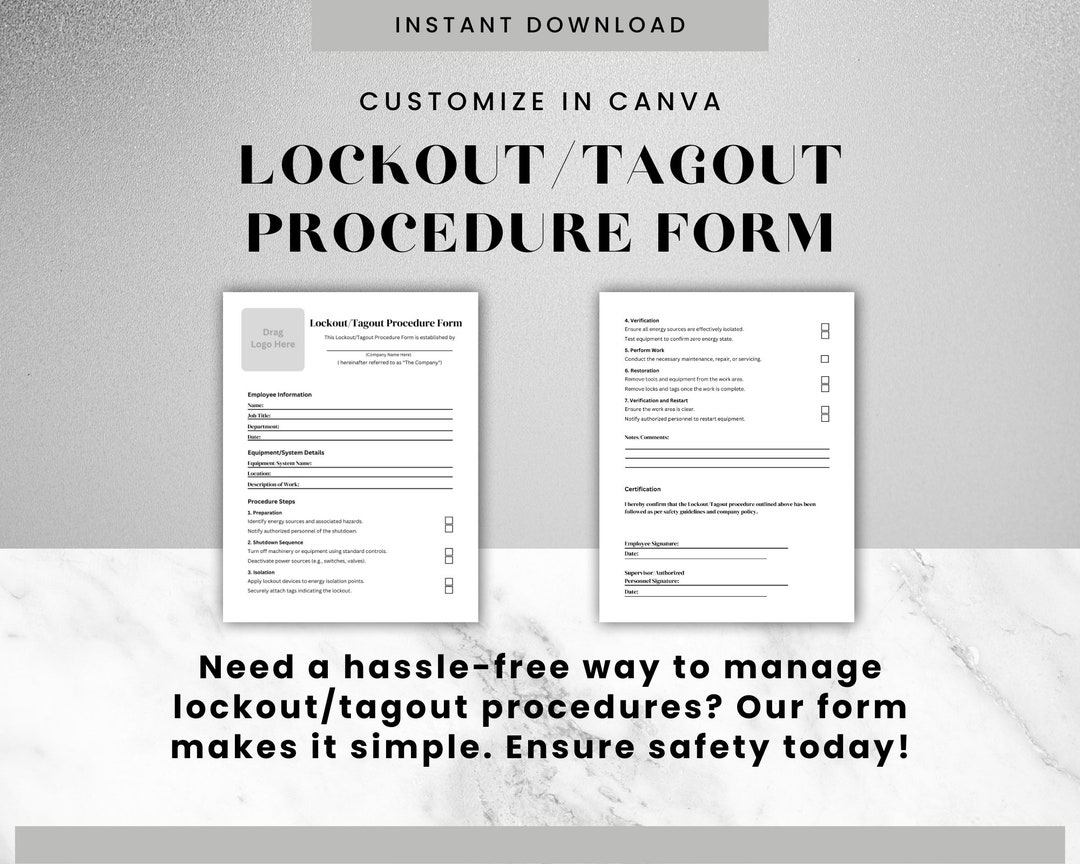
3. No Verification Field If the form doesn’t require proof that zero energy is present, it’s just a formality. Always include a line like: “Verified zero energy state using [tool/method].”
4. Ignoring Stored Energy Springs, capacitors, elevated loads — these must be explicitly addressed. A form that only references electrical lockouts is incomplete.
5. One-Size-Fits-All Approach A forklift maintenance form shouldn’t mirror a boiler servicing checklist. Customize templates per equipment class.
How to Customize Your LOTO Form for Real-World Use
A downloadable template is a starting point — not the final product. Here’s how to adapt it to your environment:
Start by mapping your most common equipment types: - CNC machines - Conveyor systems - Hydraulic presses - HVAC units - Pumps and compressors
For each, answer: - What energy sources are involved? - Where are the isolation points? - Who typically performs maintenance? - How long do shutdowns usually take?
Then, build a form variant for each category. For instance, a conveyor system form might include: - Lockout of drive motor (electrical) - Depressurization of air lines (pneumatic) - Mechanical blocking of rollers (gravity/kinetic)
Use visuals where helpful — a small diagram showing isolation points can prevent confusion. Color-code forms by department or hazard level to improve recognition.
Sample Lockout Tagout Form Template (Adaptable Structure)
Below is a proven structure you can customize. Use this as a baseline for creating your own organization-specific version.
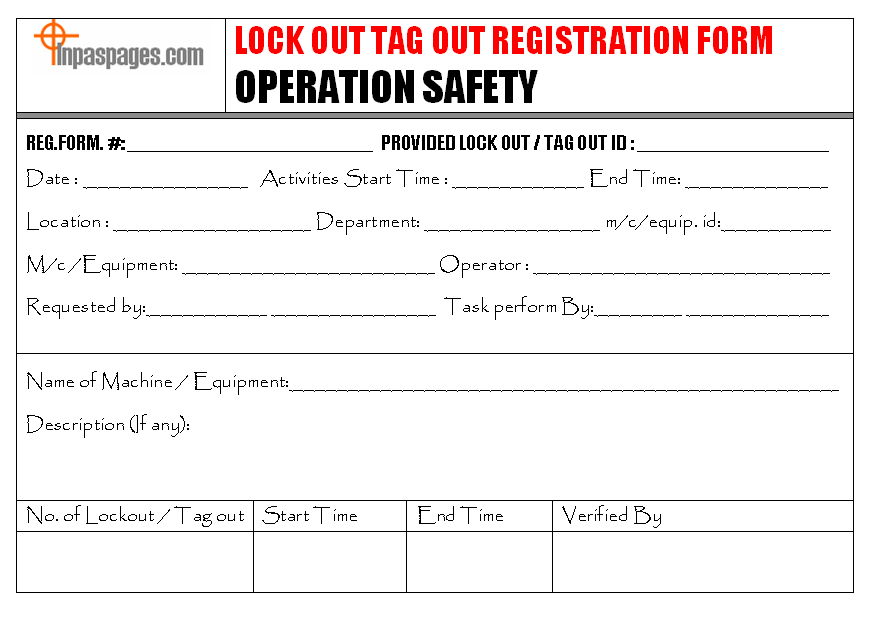
LOCKOUT TAGOUT AUTHORIZATION FORM
Equipment: _________________________ ID: __________ Location: __________ Energy Sources: ☐ Electrical ☐ Hydraulic ☐ Pneumatic ☐ Chemical ☐ Thermal ☐ Other: _______
AUTHORIZED EMPLOYEE Name: _________________________ Signature: __________ Date: ____/____/____ Start Time: ________
- ISOLATION PROCEDURE
- Notify all affected personnel.
- Shut down equipment using normal stop procedure.
- Isolate energy sources:
- - [ ] Main power disconnect at Panel A2 — Lock #LK103
- - [ ] Hydraulic valve closed and locked — Lock #LK104
- - [ ] Verify zero energy using voltage tester and pressure gauge.
LOCKS AND TAGS APPLIED Lock ID | Device Isolated | Employee Name | Tag Message --------|------------------|---------------|------------- LK103 | Main Circuit | J. Smith | DO NOT OPERATE – MAINTENANCE IN PROGRESS LK104 | Hyd. Valve | J. Smith | SYSTEM DEPRESSURIZED
VERIFICATION I confirm the equipment has been tested and is in a zero-energy state. Signature: __________ Time: ________
EXPECTED RE-ENERGIZATION TIME: ____/____/____ at ________
RELEASING PROCEDURE ☐ All tools removed ☐ Guards reinstalled ☐ Area cleared of personnel ☐ Final inspection completed
Released by: __________ Signature: __________ Time: ________
This structure is clear, auditable, and enforceable. Print it on durable paper or use it digitally via a maintenance management system.
Digital vs. Paper-Based LOTO Forms: What Works Best?
While paper forms are still common, digital solutions are gaining traction — especially in facilities with mobile maintenance teams or complex workflows.
Paper Advantages: - No tech dependency - Easy to post near equipment - Low cost
Paper Drawbacks: - Hard to track or archive - Illegible handwriting - No audit trail
Digital Advantages: - Mandatory fields prevent omissions - GPS/time-stamped entries - Integrates with CMMS (Computerized Maintenance Management Systems) - Alerts for overdue releases
Digital Drawbacks: - Requires devices and training - Potential downtime during system outages
For most mid-to-large operations, a hybrid model works best: digital forms as the primary system, with printed backups available during outages. Tools like SafetyCulture (iAuditor), Fluke Connect, or MaintainX support digital LOTO workflows with customizable templates.
Top 5 Tools with Built-In Lockout Tagout Form Templates
If you're looking to go beyond static documents, consider platforms that offer dynamic LOTO form functionality:
| Tool | Key Features | Best For |
|---|---|---|
| SafetyCulture (iAuditor) | Customizable digital checklists, photo evidence, offline mode | Field teams, multi-site operations |
| MaintainX | LOTO workflows, task scheduling, real-time alerts | Manufacturing, facilities |
| Fiix (by Rockwell) | CMMS-integrated LOTO, asset history tracking | Industrial plants |
| eWorkOrders CMMS | Built-in safety forms, work order linkage | Maintenance departments |
| LockOut/TagOut.com (by Brady) | Printable templates, training materials, tags | Small businesses, OSHA prep |
These platforms don’t just provide templates — they enforce procedure adherence through structured workflows.
Make Your LOTO Form Part of a Living Safety Culture
A lockout tagout form isn’t a one-time download. It’s part of an ongoing safety system. Review and update forms annually — or immediately after an incident, near-miss, or equipment upgrade.
Train new hires not just on how to fill out the form, but why each section matters. Use real examples: “This space here — where we verify zero energy — is where a technician in Ohio avoided a hand injury because he double-checked residual voltage.”
Conduct quarterly audits. Pull random LOTO forms and check for completeness. Ask: Was the equipment properly identified? Were all energy sources listed? Was verification documented?
When forms are treated as living documents, compliance becomes habitual — not a box-ticking exercise.
Final Thoughts: Your Template Should Prevent Accidents, Not Just Pass Inspections
A lockout tagout form template is only as good as its implementation. The best templates are clear, specific, and designed for the people who use them — not for auditors.
Start with a solid structure, customize it for your equipment, and integrate it into daily operations. Whether on paper or digital, the goal is the same: ensure every machine stays off until it’s safe to turn it back on.
Don’t wait for an incident to validate the importance of this document. Audit your current form today. If it’s vague, incomplete, or rarely used — redesign it now. A few hours of refinement could prevent a lifetime of regret.
How often should lockout tagout forms be updated? Update forms whenever equipment changes, new energy sources are added, or after an incident review. Annual reviews are recommended even if no changes occur.
Can one form be used for multiple machines? Only if the machines are identical in design, energy sources, and isolation points. Otherwise, use machine-specific forms to avoid confusion.
Who is responsible for filling out the LOTO form? The authorized employee performing maintenance is responsible for completing and signing the form.
Should contractors use the same LOTO form? Yes — contractors must follow your company’s LOTO procedures and use your approved forms. Include contractor sections if needed.
What happens if a lockout extends beyond a shift? The oncoming authorized employee must be briefed, re-verify the zero-energy state, and sign the form before continuing work.
Can digital signatures be used on LOTO forms? Yes, if the system ensures authenticity, time-stamping, and non-repudiation — common in CMMS and safety software.
Is training required before using a LOTO form? OSHA requires training for all authorized employees. Refresher training every 12 months is mandatory.
FAQ
What should you look for in Lockout Tagout Form Template: A Practical Guide for Safety Teams? Focus on relevance, practical value, and how well the solution matches real user intent.
Is Lockout Tagout Form Template: A Practical Guide for Safety Teams suitable for beginners? That depends on the workflow, but a clear step-by-step approach usually makes it easier to start.
How do you compare options around Lockout Tagout Form Template: A Practical Guide for Safety Teams? Compare features, trust signals, limitations, pricing, and ease of implementation.
What mistakes should you avoid? Avoid generic choices, weak validation, and decisions based only on marketing claims.
What is the next best step? Shortlist the most relevant options, validate them quickly, and refine from real-world results.