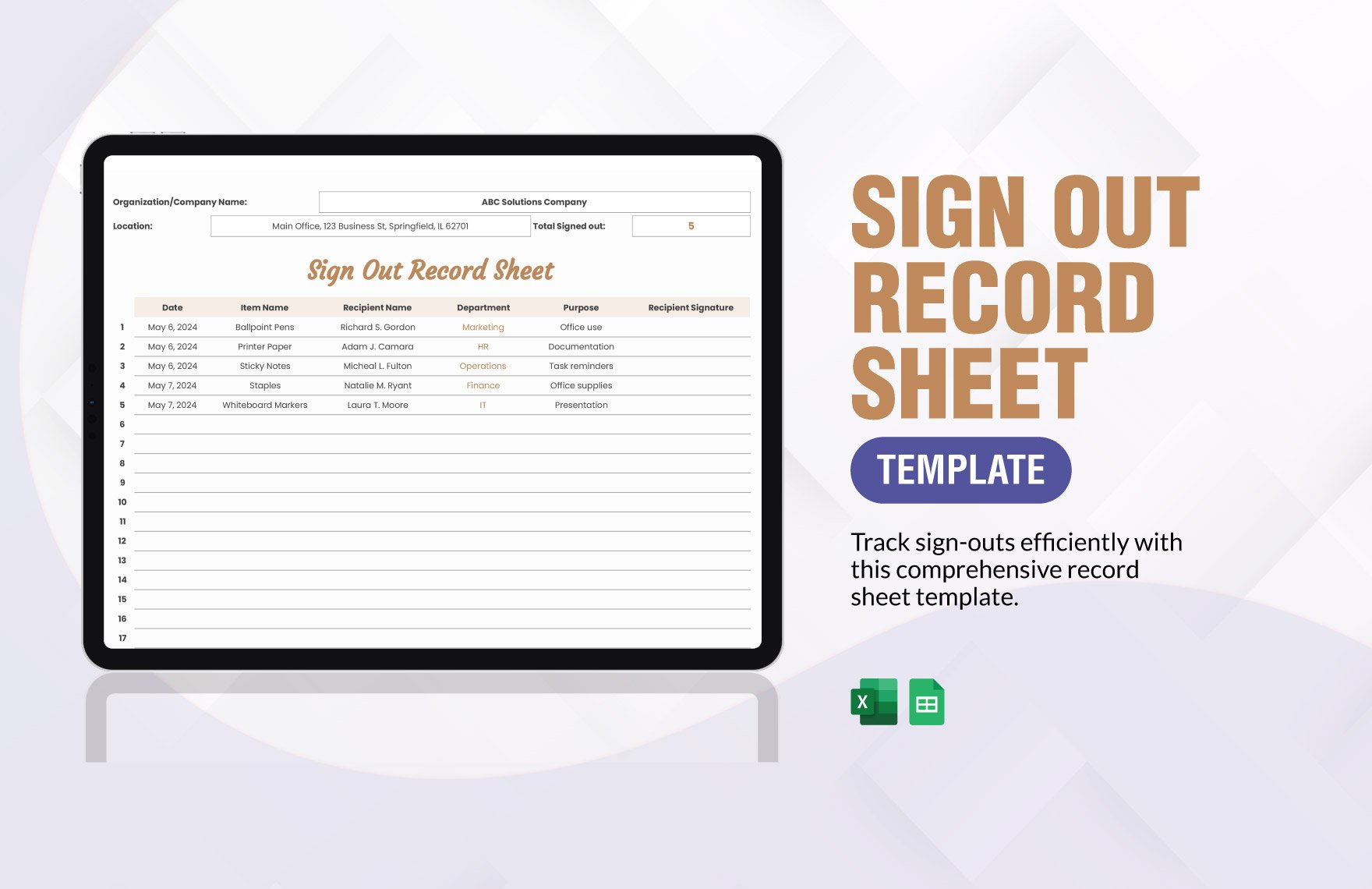
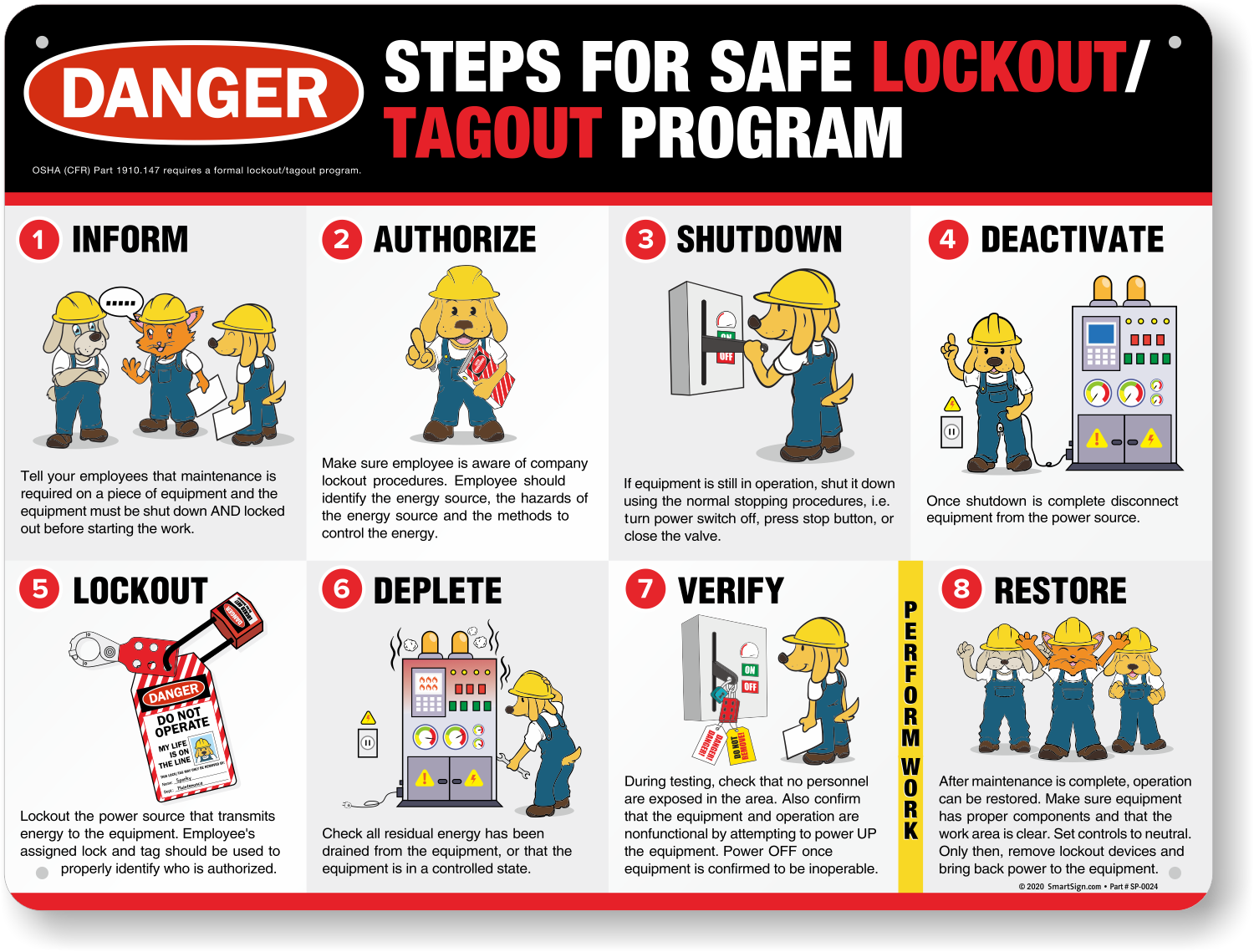
Maintenance work on industrial machinery carries inherent risks. One misstep—like restarting a machine during servicing—can lead to catastrophic injury. That’s where the lock out tag out (LOTO) log form becomes critical. It’s not just paperwork; it’s a documented lifeline ensuring equipment stays de-energized during maintenance. Yet too many teams treat the LOTO log as a box-ticking exercise, unaware that incomplete or inconsistent logs expose them to regulatory penalties and safety failures.
An effective LOTO log form tracks every phase of energy isolation: who locked out equipment, when, why, and how it was verified. This article breaks down what makes a log form truly functional, how to implement it across teams, and what real-world mistakes to avoid.
Why a LOTO Log Form Is a Safety & Compliance Necessity
The core purpose of a LOTO procedure is simple: protect workers from unexpected energization or startup of machinery. But without documentation, there’s no proof it happened. The LOTO log form serves as a legal and operational record.
OSHA standard 29 CFR 1910.147 requires employers to document each energy control procedure, including periodic inspections and employee training. The log form is the field-level manifestation of this rule. When an inspector arrives, they don’t want to hear explanations—they want to see completed logs, signatures, and verification trails.
Beyond compliance, a well-maintained log reduces human error. Imagine a shift change where one technician assumes another has locked out a conveyor. A properly filled log prevents that assumption by providing a clear, chronological record.
Common gaps in LOTO logs include: - Missing verification steps - Blank or illegible employee signatures - No record of group lockout coordination - Failure to note re-energization times
Each omission turns the log from a safeguard into a liability.
Key Elements of an Effective Lock Out Tag Out Log Form
A robust LOTO log isn’t bloated with fields—it’s precise. The best forms balance legal requirements with real-world usability. Here are the non-negotiable components:
#### 1. Equipment Identification Exact machine name, ID number, and location. Vague entries like “Production Line A” create confusion. Use standardized naming conventions tied to your maintenance system.
#### 2. Date and Time Stamps Record both lockout initiation and re-energization. Duration matters for incident analysis and shift planning.
#### 3. Authorized Employee Details Full name, employee ID, and signature. Never allow initials-only sign-offs. If multiple workers are involved, list each with their lock position.
#### 4. Energy Source Types Isolated Checkboxes or text fields for electrical, hydraulic, pneumatic, chemical, thermal, or gravity-based hazards. Be specific—e.g., “3-phase 480V main disconnect” not just “electrical.”
#### 5. Lock and Tag Numbers Each lock should have a unique ID tied to the individual. Tags must include reason for lockout, expected completion time, and contact info.
#### 6. Verification of Isolation A field where the technician confirms zero-energy state using test instruments or physical checks. This is often the most skipped—but most critical—step.
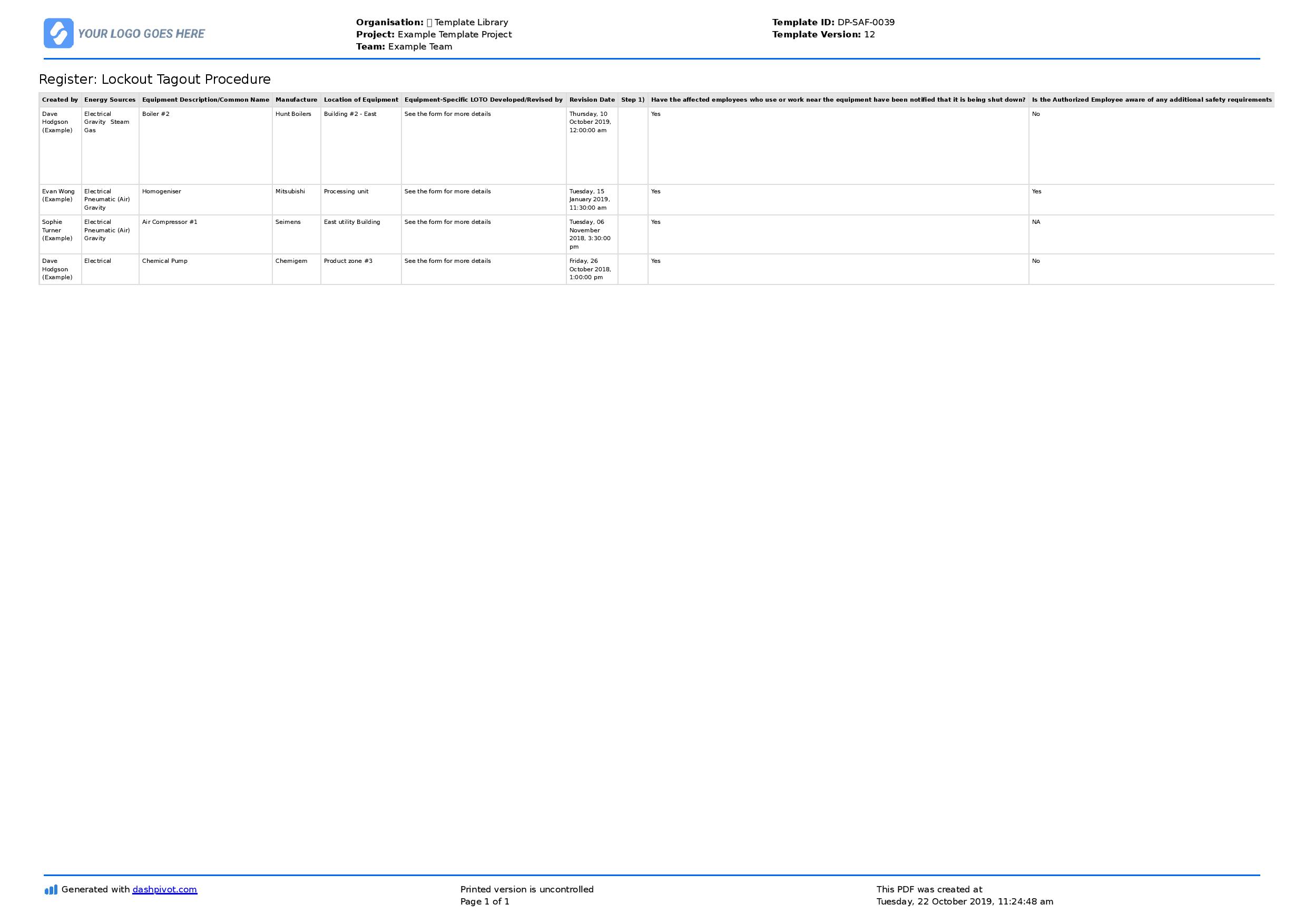
#### 7. Supervisor or Coordinator Approval For group lockouts, a designated person verifies all locks are in place before work begins.
#### 8. Clear Re-Energization Authorization Only the original lock owner should remove their lock. The log must reflect this, with a signature at release.
Real-World Example:
Using a LOTO Log in a Manufacturing Plant
At a Midwest packaging facility, a maintenance team prepares to replace a jammed gearbox on a high-speed bottling line.
Step 1: The lead technician retrieves the LOTO log form and fills in: - Equipment: “Bottling Line #3 – Gearbox Assembly (ID: BL3-GA7)” - Reason: “Gear replacement due to bearing failure” - Date/Start Time: “05/22 – 07:15 AM”
Step 2: They isolate energy sources: - Electrical: Main disconnect switched off and locked - Pneumatic: Air line bled and valve locked in closed position
Step 3: Each technician applies their personal lock and tag. The log records: - John M. (Emp #114) – Lock #L1142 - Maria T. (Emp #109) – Lock #L1098
Step 4: Verification: Using a multimeter, John confirms 0V at the motor starter. He documents the test result and signs the verification field.
Step 5: Work proceeds safely. After completion, both John and Maria inspect the area, confirm no tools are left inside, and remove their locks only after signing the re-energization section.
Step 6: The supervisor reviews and signs off, noting completion at 10:30 AM.
This log is filed and retained for 12 months—per OSHA requirements for inspection records.
Common Mistakes That Undermine LOTO Logs
Even experienced teams make critical errors. These mistakes don’t just weaken safety—they invalidate the entire process.
#### ❌ Using Blank or Generic Forms Pre-printed forms with missing fields force improvisation. Use standardized templates tailored to your equipment types.
#### ❌ Allowing Proxy Sign-Offs “No, Mary didn’t fill this out—Bob did it for her.” Unauthorized sign-offs break accountability. Only the person performing the lockout signs.
#### ❌ Skipping Verification Documentation Writing “verified” without describing how (e.g., “tested with voltmeter”) makes the log legally weak.
#### ❌ Failing to Update Logs for Shift Changes If work spans shifts, the incoming technician must sign the log and re-verify isolation—no exceptions.
#### ❌ Storing Logs Digitally Without Backup Paper logs get lost. Digital logs crash. Maintain both if possible, or use cloud-based systems with audit trails.
Digital vs. Paper LOTO Log Forms: What Works Best?
The debate isn’t about going paperless—it’s about reliability, traceability, and adoption.
| Factor | Paper Logs | Digital Logs |
|---|---|---|
| Accessibility | On-site only | Cloud-based, mobile access |
| Legibility | Handwriting errors common | Standardized input |
| Audit Trail | Limited | Version history, timestamps |
| Integration | None | Links to CMMS, ERP systems |
| Training Curve | Low | Requires onboarding |
Many plants use hybrid models: digital forms for routine maintenance, paper backups for emergency or offline work.
Digital platforms shine in multi-site operations. A national food processor, for example, uses a tablet-based LOTO app that syncs logs to headquarters in real time. Supervisors get alerts if a log is overdue or missing verification.

But technology isn’t foolproof. If a tablet crashes mid-procedure, the worker must revert to paper without delay. The form must still meet OSHA standards—regardless of format.
5 Practical LOTO Log Form Templates (Free & Customizable)
Having the right template accelerates compliance. Here are five trusted formats:
- OSHA-Compliant Basic LOTO Log
- - Best for: Small facilities, single-energy isolations
- - Includes: Equipment ID, lock numbers, verification check, dual signatures
- - Format: PDF/Excel
- - Source: OSHA.gov (public domain)
- Group Lockout Coordination Sheet
- - Best for: Multi-craft teams, complex shutdowns
- - Features: Master lockbox tracking, individual lock lists, coordinator sign-off
- - Format: Printable A3 or digital form
- Industrial Maintenance LOTO Log
- - Best for: Manufacturing, refineries
- - Includes: Energy source checklist, isolation method, PPE verification
- - Customizable fields for specific machinery
- Mobile LOTO App with Form Builder
- - Best for: Large enterprises, digital workflows
- - Apps like Fiix, Limble CMMS offer built-in LOTO forms
- - Auto-timestamps, photo attachments, push notifications
- Daily LOTO Summary Report
- - Best for: Supervisors, safety audits
- - Aggregates all lockouts per shift
- - Highlights overdue or incomplete procedures
Choose a template based on your risk profile, not convenience. A paper mill with high-voltage systems needs more detail than a warehouse resetting a forklift battery.
How to Train Teams on Proper LOTO Log Use
Training isn’t a one-time event. OSHA mandates annual retraining—and more often if procedures change or incidents occur.
Effective training includes: - Hands-on drills using real equipment (de-energized) - Log-filling simulations with feedback - Scenario-based testing (e.g., “What if the original lock owner is on break?”) - Peer review of completed logs
One auto parts plant reduced LOTO errors by 70% after introducing quarterly “log audits” where safety officers reviewed 10 random forms and provided direct feedback.
Also, involve frontline workers in form design. They’ll identify impractical fields and suggest usability fixes.
Audit-Ready LOTO Logs: Retention & Review Protocols
OSHA requires that certification records (including LOTO logs) be retained for at least one year. But best practice is to keep them for three.
Set up a simple filing system: - Physical logs: Stored in labeled binders by month, accessible to safety officers - Digital logs: Archived in secure folders with permissions
Schedule quarterly reviews: - Are all required fields completed? - Is verification consistently documented? - Are re-energization steps followed?
Any deficiencies trigger immediate retraining—not disciplinary action. The goal is continuous improvement, not blame.
Final Recommendations: Make Your LOTO Log Work for You
A lock out tag out log form should never be an afterthought. It’s the backbone of an energy control program. Treat it like a medical record: precise, traceable, and legally binding.
Start by auditing your current logs. If they’re inconsistent, rebuild your template using the core elements outlined here. Train your team not just on “how to fill it out,” but why each field matters.
Then, integrate the log into your broader safety culture. When workers see that their signatures carry weight—and that missing a verification step halts the process—they begin to own the system.
The best LOTO logs aren’t perfect. They’re used correctly, every time. That’s what protects lives.
FAQ
What should you look for in Lock Out Tag Out Log Form: Essential Compliance Guide? Focus on relevance, practical value, and how well the solution matches real user intent.
Is Lock Out Tag Out Log Form: Essential Compliance Guide suitable for beginners? That depends on the workflow, but a clear step-by-step approach usually makes it easier to start.
How do you compare options around Lock Out Tag Out Log Form: Essential Compliance Guide? Compare features, trust signals, limitations, pricing, and ease of implementation.
What mistakes should you avoid? Avoid generic choices, weak validation, and decisions based only on marketing claims.
What is the next best step? Shortlist the most relevant options, validate them quickly, and refine from real-world results.