Paper trails matter—even in a digital age. Misplaced files, unauthorized access, and audit failures often trace back to one root issue: poor document tracking. A records sign out sheet isn't a relic of outdated bureaucracy. It’s a frontline tool for accountability, compliance, and operational clarity. Whether it's personnel files, legal contracts, or medical records, knowing who has what, when, and why prevents costly oversights.
Yet too many organizations rely on memory, sticky notes, or digital guesswork. That’s a risk. A well-designed sign out sheet creates a verifiable audit trail, reduces loss, and builds institutional trust. This isn’t about micromanagement—it’s about clarity.
Let’s break down how to implement, customize, and manage a records sign out sheet that actually works.
What Is a Records Sign Out Sheet?
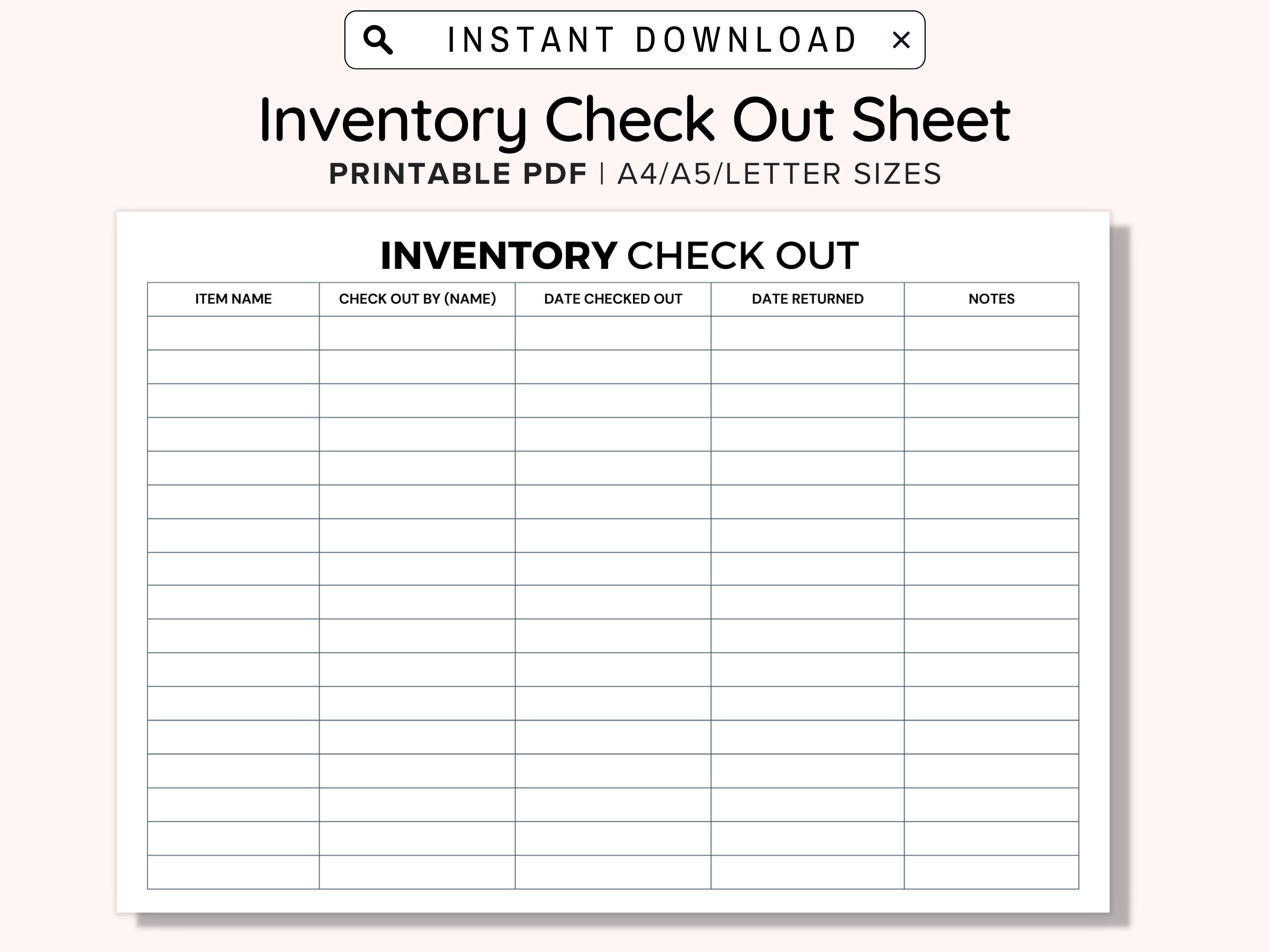
A records sign out sheet is a physical or digital log used to track who accesses records, when they do it, and when they return them. It serves as a formal handoff mechanism, ensuring visibility into document movement.
At its core, it answers five critical questions:
- What record was taken? (file name, ID, or description)
- Who took it? (name, department, and ID if applicable)
- When was it signed out? (date and time)
- When is it due back? (expected return date)
- Why was it accessed? (purpose of use, optional but recommended)
This simple framework transforms document handling from casual borrowing into a controlled process. In regulated environments—like healthcare, education, or finance—this log isn’t optional. It’s compliance.
Key Components of an Effective Sign Out Sheet
Not all sign out sheets are created equal. A poorly designed form leads to skipped entries, illegible handwriting, or inconsistent data. To avoid these pitfalls, include these essential fields:
1. Record Identifier Assign a unique ID or title to each file (e.g., “Employee File – J. Smith #HR-2049”). This prevents confusion when multiple records have similar names.
2. Sign-Out Date & Time Precise timestamps matter. “April 5” isn’t enough. Use “04/05/24 – 10:15 AM” to establish an exact chain of custody.
3. Authorized Sign-Out Person Require a full name, signature, and employee ID (if applicable). Never allow vague entries like “Finance Team” or initials without context.
4. Expected Return Date Sets accountability. Use a bold, prominent field so it’s not overlooked. Late returns trigger follow-up procedures.
5. Purpose of Access Optional but highly recommended. Knowing whether a file was pulled for payroll review, audit prep, or legal inquiry adds context during audits or investigations.
6. Return Verification A second line for the person returning the file to sign and date. This closes the loop and confirms re-filing.
Pro Tip: Use carbon-copy forms or duplicate pages if working physically. That way, the records custodian keeps one copy, and the borrower gets a receipt.

Common Use Cases and Real-World Examples
A records sign out sheet isn’t one-size-fits-all. Its application varies by industry and need. Here are three realistic scenarios:
Example 1: Human Resources Department HR handles sensitive data—performance reviews, tax forms, and disciplinary records. A sign out sheet ensures only authorized managers access files.
Scenario: A department head needs an employee’s I-9 form for an audit. They complete the sign out sheet, specify the reason, and return it 24 hours later. HR logs the return. During an OSHA audit, this log proves the file wasn’t misused.
Example 2: Legal Firm Lawyers frequently share case files. Without tracking, documents can disappear before court dates.
Scenario: An associate signs out a client’s discovery packet. The sheet shows it was overdue by two days. The managing partner follows up, retrieves the file, and avoids a scheduling conflict.
Example 3: School Administration Student records—transcripts, medical forms, IEPs—are protected under FERPA. Unauthorized access is a legal liability.
Scenario: A guidance counselor signs out a student’s transcript to send to a college. The sign out sheet provides a timestamp and recipient detail. If the transcript goes missing, the chain of custody is clear.
In each case, the sign out sheet isn’t just administrative—it’s a risk mitigation tool.
Physical vs. Digital: What Works Best?
The debate isn’t about which is “better”—it’s about fit. Let’s examine both:
| Factor | Physical Sign Out Sheet | Digital Sign Out System |
|---|---|---|
| Setup Cost | Low (paper, clipboard) | Higher (software, training) |
| Accessibility | Requires location access | Accessible remotely |
| Searchability | Manual, time-consuming | Instant filtering by name, date, ID |
| Audit Readiness | Prone to damage or loss | Exportable, timestamped logs |
| Enforcement | Relies on discipline | Automated reminders, permissions |
When to Use Physical Sheets - Small offices with low document volume - Locations with limited tech access (e.g., storage rooms, field offices) - Temporary tracking needs (e.g., event records)
When to Go Digital - High-volume environments - Regulatory compliance (HIPAA, GDPR, etc.) - Remote or hybrid teams - Need for reporting and analytics
Reality Check: Many organizations use a hybrid model. A physical sheet at the filing cabinet, backed by a weekly digital summary for oversight.
Top 5 Digital Tools for Records Sign-Out Management For those ready to digitize, these platforms combine ease of use with robust tracking:
1. Google Sheets (with Add-Ons)
- Best for: Budget-conscious teams
- Why it works: Free, collaborative, and customizable. Use add-ons like “Yet Another Mail Merge” for reminders.
- Limitation: No native access controls; relies on Google Workspace permissions.
2. Airtable
- Best for: Visual organizers and small teams
- Why it works: Combines spreadsheet and database features. Create views for overdue files, by department, or by record type.
- Limitation: Steeper learning curve for non-technical users.
3. Microsoft SharePoint + Forms
- Best for: Enterprise environments
- Why it works: Integrates with Office 365. Build a form for sign-outs and link it to a SharePoint list with approval workflows.
- Limitation: Requires admin setup and licensing.
4. Trello with Custom Fields
- Best for: Project-based record access
- Why it works: Use boards for “Files Out,” “Due Back,” and “Returned.” Attach digital copies or links.
- Limitation: Not ideal for sensitive data unless paired with encryption.
5. FileTrail
- Best for: Compliance-heavy industries
- Why it works: Enterprise-grade document tracking with barcode scanning, audit logs, and retention scheduling.
- Limitation: Expensive; overkill for small teams.
Workflow Tip: Start simple. Use Google Sheets or Airtable to test digital adoption before investing in complex systems.
Common Mistakes That Undermine Effectiveness
Even the best-designed sign out sheet fails when misused. Avoid these frequent errors:
1. Incomplete Entries Leaving the “return date” blank or skipping the purpose field creates gaps. Enforce full completion—no exceptions.
2. No Follow-Up Process A log is useless if overdue files aren’t chased. Assign a custodian to review the sheet weekly (or daily in high-turnover areas).
3. Poor Storage Keeping the sign out sheet in a drawer defeats its purpose. Mount it visibly next to the file cabinet.
4. Overcomplication Too many fields scare users. Stick to the essentials: who, what, when, and when back.
5. Treating It as Optional If managers bypass the system, so will others. Leadership must model compliance.
Hard Truth: A sign out sheet only works if it’s consistently enforced. Culture matters more than format.
How to Train Staff and Ensure Compliance
Adoption starts with clarity. When introducing a records sign out sheet:
- Explain the “Why”
- Not “because policy says so,” but “because last month we lost a vendor contract for three days, delaying payment.”
- Demonstrate the Process
- Walk through a sample sign out. Show what a complete entry looks like.
- Assign Accountability
- Name a records custodian responsible for monitoring and follow-up.
- Audit Randomly
- Once a month, spot-check entries against file locations. Acknowledge good compliance; correct gaps privately.
- Refresh Training Annually
- Turnover happens. Make sign out procedures part of onboarding.
Insight: The fastest way to kill adoption? Let someone “borrow” a file “just this once” without logging it. One exception erodes the entire system.
Final Thoughts: Build a Culture of Accountability
A records sign out sheet is more than a form—it’s a reflection of how seriously your organization treats information. In an era of data breaches and compliance fines, treating documents casually isn’t just inefficient; it’s dangerous.
Start with a simple, well-structured sheet. Train your team. Enforce consistency. Then, evaluate whether digitization adds real value.
The goal isn’t perfection—it’s progress. Every signed line is a step toward better control, fewer losses, and stronger audits.
Put the sheet in place today. Your future self will thank you when the auditor walks in.
FAQ
What should you look for in Records Sign Out Sheet: Efficient Tracking for Any Office? Focus on relevance, practical value, and how well the solution matches real user intent.
Is Records Sign Out Sheet: Efficient Tracking for Any Office suitable for beginners? That depends on the workflow, but a clear step-by-step approach usually makes it easier to start.
How do you compare options around Records Sign Out Sheet: Efficient Tracking for Any Office? Compare features, trust signals, limitations, pricing, and ease of implementation.
What mistakes should you avoid? Avoid generic choices, weak validation, and decisions based only on marketing claims.
What is the next best step? Shortlist the most relevant options, validate them quickly, and refine from real-world results.